
Live menu bar readouts
CPU, memory, network, and disk, always one glance away, with tiny sparklines and core bars.
For Mac · $9 one time · no subscription
System monitor for your Mac’s menu bar
See CPU, memory, network, disk, temperatures, and fans at a glance, without opening Activity Monitor.
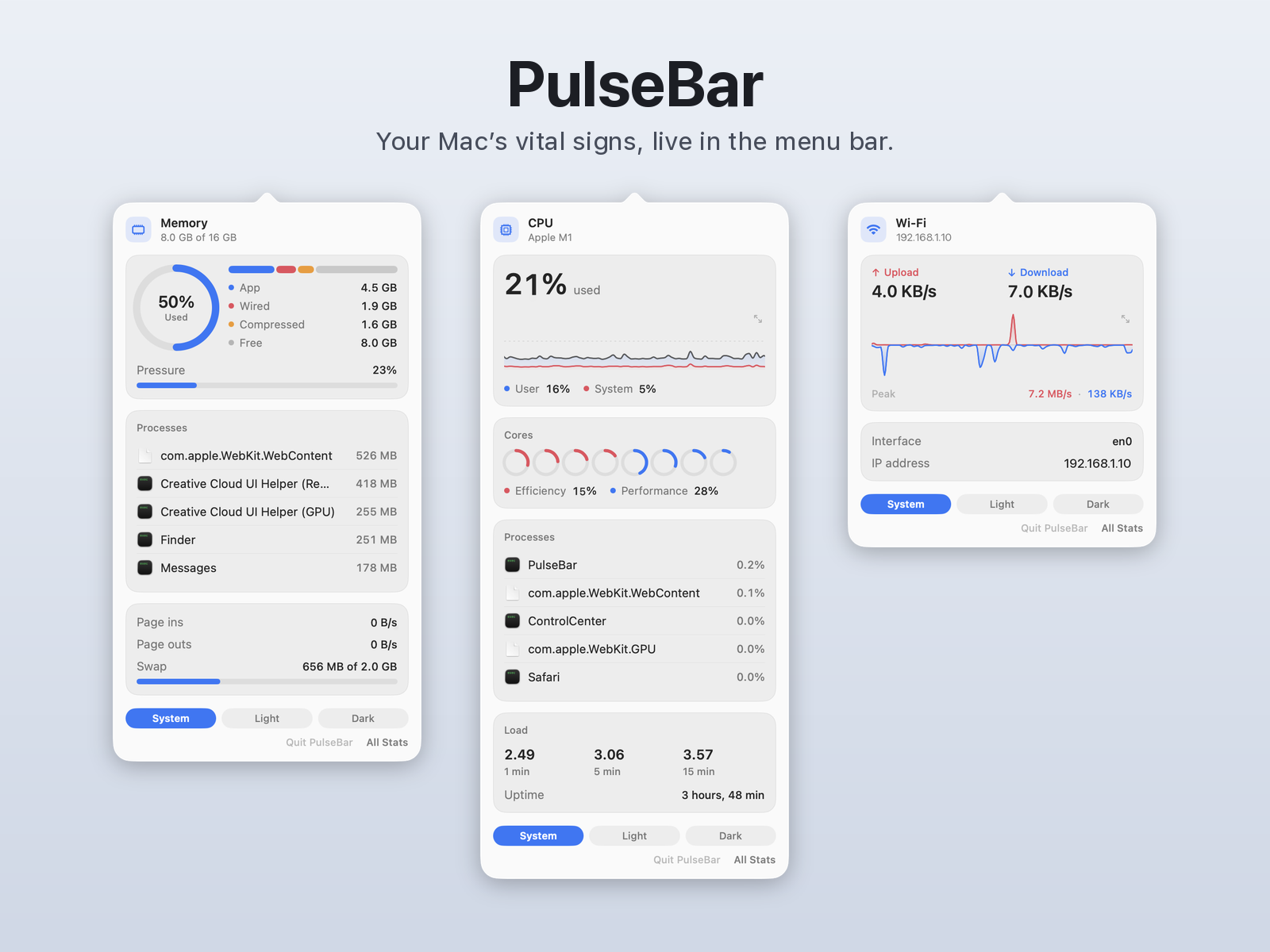
Live readouts sit in the menu bar. Click one to open a panel with history graphs and the processes using the most resources.
macOS 13 Ventura or later · Universal (Apple silicon + Intel) · Secure checkout by Stripe · Instant download

Features
A calm, native view of what your Mac is doing, styled after the app’s own coral and blue graphs.
CPU, memory, network, and disk, always one glance away, with tiny sparklines and core bars.
Click a chart to expand it. View history from the last minute up to the last month.
CPU, GPU, and battery temperatures plus fan speed (RPM) in the All Stats overview, fullscreen when you need it.
Efficiency and performance cores shown separately. One universal app for Apple silicon and Intel Macs.
Follows your macOS appearance, or force Light or Dark. No Dock icon: it lives in the menu bar.
No account, no analytics, no network calls from the app. History is stored locally on your Mac.
Gallery
Real screenshots from the shipping app. Click any image to enlarge it.
Hover a panel to open it · click to enlarge · CPU · Memory · Disk · Network
How buying works
Personal license, sold by Cortes Labs. No subscription, no account.
Click Buy and check out securely on Stripe: $9, one time, no subscription.
Right after payment, the Stripe confirmation page gives you the PulseBar.dmg download link.
Open the DMG and drag PulseBar to Applications. Launch it and your stats appear in the menu bar.
FAQ
macOS 13 Ventura or later · Universal (Apple silicon + Intel).
Yes. PulseBar is signed with an Apple Developer ID and notarized by Apple. The first time you open it, macOS may ask you to confirm opening an app downloaded from the internet. Click Open.
No. There’s no account, no analytics, and the app makes no network calls while monitoring. Metric history stays on your Mac.
No. PulseBar only reads temperatures and fan speed from macOS; it never changes fan behavior.
No. It’s a one-time $9 purchase with a personal license.
Email support with your Stripe receipt within 30 days of purchase for a full refund.
Something else? Email felipecortes600@gmail.com.